




Throttle balance
Holding forward everywhere is fast only until the next bump. Short inputs keep the tires planted and the chassis ready for the next change in height.
A physics driving challenge where every jump, narrow bridge, and unusual vehicle tests your throttle control and landing angle.
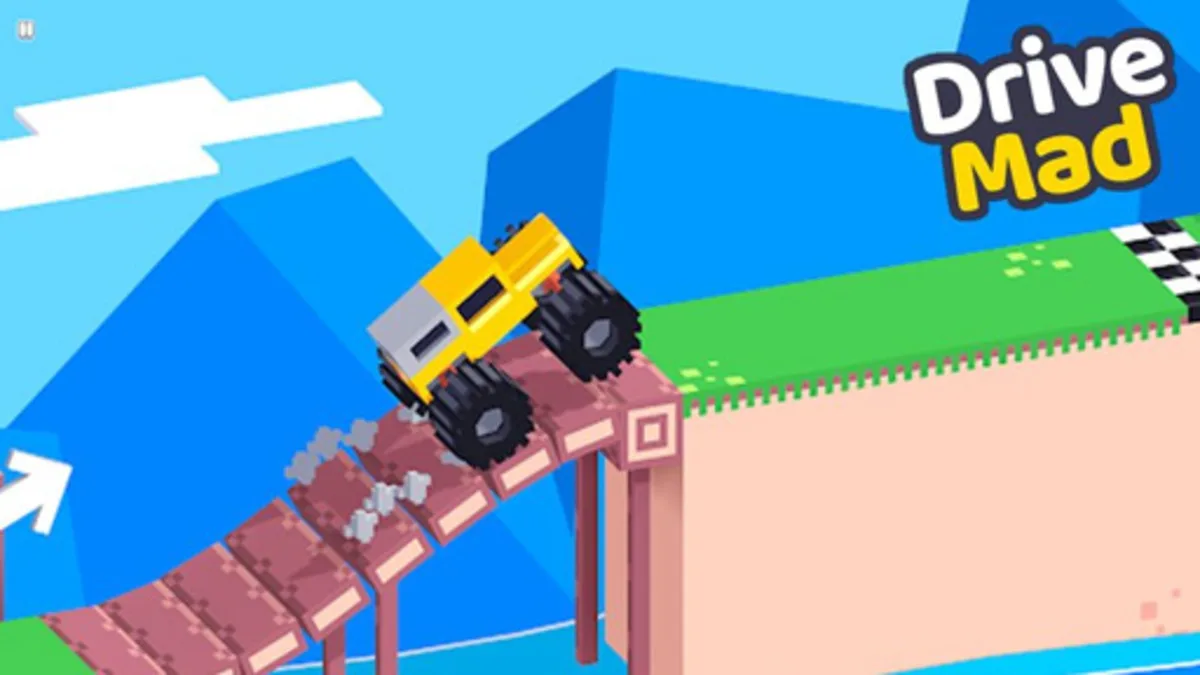
Game not loading? Use the refresh button above to try again.
About the game
A physics driving challenge where every jump, narrow bridge, and unusual vehicle tests your throttle control and landing angle.
Drive Mad turns a simple race to the finish into a physics puzzle. Each level gives you a different vehicle and a new combination of ramps, gaps, bridges, and moving obstacles. Reaching the finish is only part of the problem: you also need to keep the vehicle upright and land without sending it into the void.
The throttle is your steering wheel in the air. Gentle taps preserve balance over rough ground, while forward or reverse input can rotate the car after a jump. Learn the vehicle's weight before chasing speed, then use the shape of each obstacle to decide where to brake and where to commit.
How to play Drive Mad
Use W, the Up Arrow, or the Right Arrow to accelerate forward; use S, the Down Arrow, or the Left Arrow to brake and reverse.
Feather the throttle over bumps and bridges so the vehicle reaches each crest with a controllable amount of momentum.
Use forward or reverse input while airborne to adjust the vehicle's rotation, then aim for a flat landing before the next obstacle.
Board reading
Holding forward everywhere is fast only until the next bump. Short inputs keep the tires planted and the chassis ready for the next change in height.
The car remains steerable in the air. A brief reverse tap can bring the nose down, while forward input can lift it for a flatter landing.
Trucks, limousines, tractors, and other vehicles carry their weight differently, so the timing that works on one level may be unsafe on the next.
Strategy notes
Use these observations after you have felt the controls once.
Pixel Flow rewards spotting the next color before a piece reaches the tray; Drive Mad rewards spotting the landing angle before the vehicle leaves the ramp.
A precise tap is usually easier to recover from than a panic hold. Early, smaller inputs keep more options open on both games.
Drive Mad is a continuous physics run rather than a board puzzle. Its key decision happens through timing: how much momentum to carry into a crest, and how much rotation to correct while airborne.
Beat one level while using only short throttle taps on the approach to every ramp. Try to land each jump with all four wheels facing the next surface.
FAQ
A physics driving challenge where every jump, narrow bridge, and unusual vehicle tests your throttle control and landing angle.
Drive the vehicle over ramps, bridges, gaps, and moving obstacles without flipping. Use short forward or reverse inputs to control speed on the ground and adjust the vehicle's rotation while it is airborne.
Use W, the Up Arrow, or the Right Arrow to accelerate. Use S, the Down Arrow, or the Left Arrow to brake and reverse. The same directional input can help correct the vehicle's angle during a jump.
A car usually flips because it reaches a crest with too much momentum or leaves a ramp at an unsafe angle. Release the throttle earlier, then use a brief opposite-direction tap in the air to bring the nose toward a flat landing.
The game can be opened in a mobile browser, but its controls are designed around directional input. Use the game's own touch controls when available or open fullscreen for a larger play area.
Tapping the gas over the bridges works much better than holding it. The car feels slow for a second, then the landing is actually controllable.
I use a tiny reverse input in the air when the nose starts climbing. It is enough to land flat without killing all the momentum.
Every new vehicle needs a test run. The long cars are less about speed and more about placing both ends safely on the next platform.
If a jump keeps failing, reverse for a moment at the start and try again with a different takeoff rhythm. It changes the whole landing.
Share a route, control tip, or question about Drive Mad.
Player comments
Comments (4)