
Send a pig onto the conveyor when its color can hit visible pixels.
Pixel Flow Game Online Free

Need a change of pace?
Try another game
 Eggy CarArcade · Play
 Space WavesArcade · Play
 Escape RoadArcade · Play
 Magic SortPuzzle · Play
 Block BlastPuzzle · Play
 Hexa AwayPuzzle · Play
 Solitaire Associations WordPuzzle · Play
 Drive MadArcade · Play
 Vita MahjongPuzzle · Play
 Arrows – Puzzle EscapePuzzle · Play
 Crazy Fruit MergeArcade · Play
 Race Survival: Arena KingArcade · Play
 Classic SolitairePuzzle · Play
Browser game
What Is the Pixel Flow Game?
Pixel Flow is a free browser puzzle game where you tap pigs onto a conveyor, match their colors to pixel cubes, and clear the board without downloading anything.
Core loop
Tap, match, clear, open space, continue.
Each run is built around quick decisions: send the right pig, spend its color on the board, and keep enough room for the next move.
- Tap
- Match
- Clear
- Open space
- Continue
How to play
Each pig clears pixel cubes of the same color automatically.
A pig leaves only after it spends its shots, so weak choices can clog the tray.
Leave room for the color that opens the next section of the board.
Game mechanics
The belt order matters because every accepted pig changes the next few moves.
Visible color groups tell you which pig can make real progress.
Five slots are your safety net; filling them too early usually ends the run.
Boosters are best after you know the blocker they will solve.
Stuck after playing?
Use level help only after the board blocks you.Start with the game above. If the layout stalls, use the level atlas, screenshot matcher, or power-up guide to compare your board and choose the next move.
Browser game Keep one slot open Save boosters for the real blocker
Pixel Flow Solver and Level Help
Search only after the board you are playing gets stuck.
Recent Boards
Boards you opened or searched recently.
Favorites
Favorite Boards 0
Your marked boards stay close to the play tools.
No favorite boards yet.
Favorite a board to build your list.
Browse levels Level 645Wrong-layout hotspot
 Level 724Frozen blocker board
 Level 895Snake-style board
 Level 1045Late-game pressure board
2020board pages
Browse the continuous Level 1-2020 atlas.
100enhanced guides
Priority pages add opener hints, fail points, booster advice, and video checks.
2020highest level
Screenshot matching can compare known boards up to Level 2020.
Pixel Flow Level Guide
Use when you already know the level number or board clue.
Pixel Flow Solver
Use when the guide number does not look like your board.
Pixel Flow Very Hard Levels
Favorite difficult boards and return with a cleaner opener.
Pixel Flow Power-Ups and Boosters
Decide whether Hand, Shuffle, or Add Tray is worth it.
Play your way
Stay in the browser or take Pixel Flow with you.
Use the curated game shelf when you want a different puzzle skill, or open the verified mobile store destinations without a download mirror.
Browser play
Play Pixel Flow Online Free in Your Browser
Start the Pixel Flow game instantly, then keep one tray slot open and use help only after a board gets stuck.
1
Check the silhouette
Look for the big shape first: flower, snake, throne, wall, pocket, or split lane.
2
Compare exposed colors
If the visible color groups differ, use the screenshot matcher instead of forcing the same walkthrough.
3
Choose the opener
The opener is the color that creates new space, not the color with the easiest single pixel.
4
Spend only after the route is real
Use Add Tray, Hand, Shuffle, or Super Shooter when the booster changes the next move.
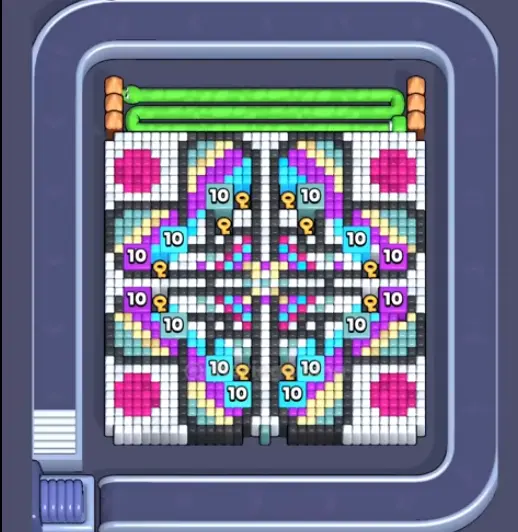 Wrong-layout hotspotMatch the board before following a walkthrough.
Real board previews
Pixel Flow Level Guide and Walkthrough Checks
Lookalike numbers and reused videos can mislead you. Compare the visible board before spending a booster.
Player rules
Use the queue like a tool, not a long list.
These rules repeat across hard boards, whether the level number is early or late.
Five slots decide the run
Treat the tray as the real timer. A pig is useful only when its color can spend ammo on an exposed route right now.
Keep one slot empty until the opener color is ready.Board number is not enough
Some numbers show lookalike layouts or reused videos. The board picture should match before you copy a route.
Compare the largest blocker, tray colors, and border shape.Boosters need a target
A booster is strongest after the board opens. Used too early, it often changes the queue without solving the blocker.
Name the blocker first, then spend.One opener beats many singles
Mixed single pixels feel productive, but hard boards usually need one color group removed before anything else matters.
Clear the color that creates the widest new path.Stuck boards
Popular Pixel Flow Levels Players Search
These guides are built around board clues, common failure points, and what to do if your layout is different.

Level 139
Known repeated-video levelA popular stuck level with multiple public videos and more than one reported layout.

Level 195
Shared-video hard levelA hard stage with multiple public solutions and a high chance of lookalike layouts.
Level 645
Wrong-layout hotspotA hard level where screenshot matching matters more than the number.
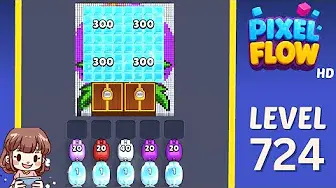
Level 724
Frozen blocker boardA heavy blocker-style layout where the first goal is opening space, not finishing colors.
Level 895
Snake-style boardA coiled, snake-like layout where outer layers protect the center.
Level 1045
Late-game pressure boardA dense late-game board with more colors visible than the queue can safely hold.
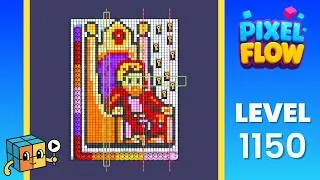
Level 1150
Throne-style boardA named very hard layout often described like a throne shape with protected center blocks.

Level 1400
Late board match checkA very late board where the number is less reliable than a screenshot match.
Walkthrough checks
Pixel Flow Walkthrough and Video Checks
Open a Pixel Flow walkthrough only when the visual clue matches. If it does not, use the screenshot matcher first.
Level 54Crossing lane drill
Two colors compete for the crossing zone. If your crossing sits elsewhere, search visually.
Level 139Known repeated-video levelThis is the first board where matching the picture matters more than trusting the number.
Level 195Shared-video hard levelConfirm the pumpkin board and tray colors before using a video route.
Level 1150Throne-style boardThe throne shape should be obvious. If not, compare Level 1045 and Level 1400 first.
Player notes
Pixel Flow Power-Ups and Boosters
Most failed runs come from accepting pigs too early. Keep one slot open and spend boosters only after the board is ready.
1. Match the board
Check the visual clue before trusting a level number or a video.
Same number, different layout can happen.
Open Solver2. Protect a slot
Reject pigs that cannot spend useful ammo immediately.
Five slots vanish fast when every color looks almost useful.
Power Ups3. Clear the opener
Find the color that opens the largest route, not the easiest single pixel.
Hard boards usually have one real door.
Hard ListLeaving one tray slot open was the thing I was missing. I stopped tapping every pig right away and finally had room for the opener color.
I wanted to play Pixel Flow online without downloading anything, then Level 645 looked nothing like the video. Matching the board image first saved a lot of retries.
Shuffle feels wasted if I use it before the board opens. I wait until the belt order is actually blocking the next move.
The hard list helped after a few failed runs. I favorite the board, step away, then come back when I can see the first clear.
Watching the next two colors helped more than staring at the front pig. It stops me from blocking the tray too early.
FAQ
Pixel Flow Game FAQ
Can I play the Pixel Flow game online for free?
Yes. Use the Play button on the homepage to load the Pixel Flow browser game for free. If the game frame fails, the solver and level help still work.
Do I need to download Pixel Flow?
No. Pixel Flow plays directly in your browser with no download needed. Start the game online first, then use level help only when a board gets stuck.
How do I find a Pixel Flow level solution?
Search the level number, open the matching board guide, or upload a screenshot to the Pixel Flow Solver when you are not sure which walkthrough fits your board.
Does this site include a Pixel Flow solver?
Yes. Use the screenshot solver and level help after the board you are playing gets stuck, then decide whether a power-up is worth spending.
How do I play Pixel Flow?
Tap a pig when its color can reach visible pixels, let it spend its shots, and keep one of the five tray slots open for the color that opens the next section.
What are the power ups in Pixel Flow?
Pixel Flow power ups include Add Tray for extra space, Hand for removing one blocking pig, Shuffle for correcting belt order, and Super Shooter for a confirmed large blocker.
Player comments
Comments (5)