
ビジュアルエンジンが盤面画像の全インデックスを検索し、近い候補を先に返します。
攻略や動画を開く前に、輪郭・色の配置・グリッドを比較します。
スクリーンショットを保存または共有することはありません。最も近い Pixel Flow レベルを見つけるためだけに使用されます。
Pixel Flow のレベルを探す
レベル番号、盤面パターン、覚えている手がかりで検索できます。
ブースターを使う前に盤面画像をアップロードして候補を確認します。
 レベル 139: Known repeated-video level
Start from the largest exposed path, then leave mixed edge pixels alone until that path creates a larger shooting lane.
 レベル 195: Shared-video hard level
Pick the largest safe color mass first, then use the newly opened area to decide whether the route is actually the same as the video.
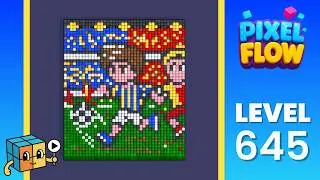 レベル 645: Wrong-layout hotspot
Start with the white perimeter because it separates the four quadrants. Once the cage breaks, use grouped pink corners and then work into the cyan locks.
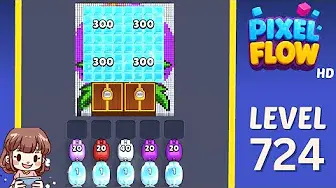
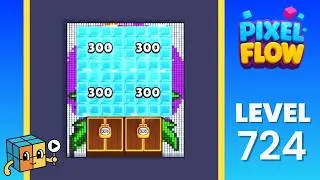 レベル 724: Frozen blocker board
Use the side strips first, then spend high-ammo pigs into the ice and chest blockers. The goal is opening space before chasing the hidden butterfly colors.
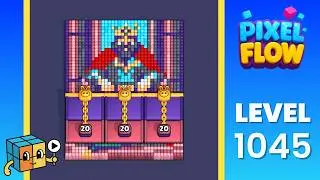
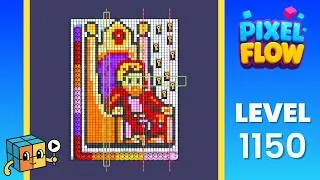
確認チェック
ルートを見る前に盤面を確認。
輪郭、見えている色、トレイ圧がすべて一致しているか見ます。
盤面の輪郭
レベル番号を信じる前に外形が一致している必要があります。
見えている色
最初に見える色のまとまりが同じ位置にあるか確認します。
トレイ圧
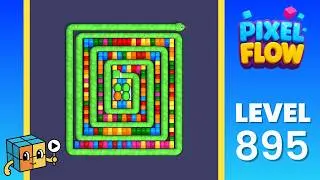
難しい盤面では同じ最初の開通色があるか見ます。
近い範囲
近い結果でも一部が違うなら周辺レベルを開きます。
結果の読み方
画像が一致するページを開く。
プレビュー、最初に消せる色、近い範囲が画面と合うものが最良の結果です。